CONTENTS03 +
Nova 1.2 quietly ships a ProgressButton component. Here's where to find it and how to use it in your own tools.
The latest version of Nova just got released a couple of days ago with a round of bug fixes. While these are indeed good things, for tool developers a nice little, yet undocumented, Vue component has been smuggled in!
Progress Button
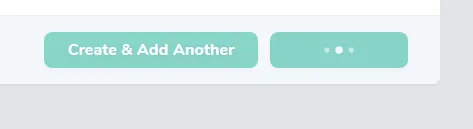
The addition of the progress button component doesn’t only make the UI fancier, but enables tool developers to rely a bit more on Nova’s very own components when creating a nice interface for the tool… (this also means quicker development as well). To check out the component, just head to the resources/js/components/ProgressButton.vue file. Usage examples can be found throughout the Nova base code, particularly in the Create, Update and Attach views.
Using it in a tool
Nova registers its components globally, so there’s nothing to import: <progress-button> is available in your tool’s templates just like <card> or <heading>.
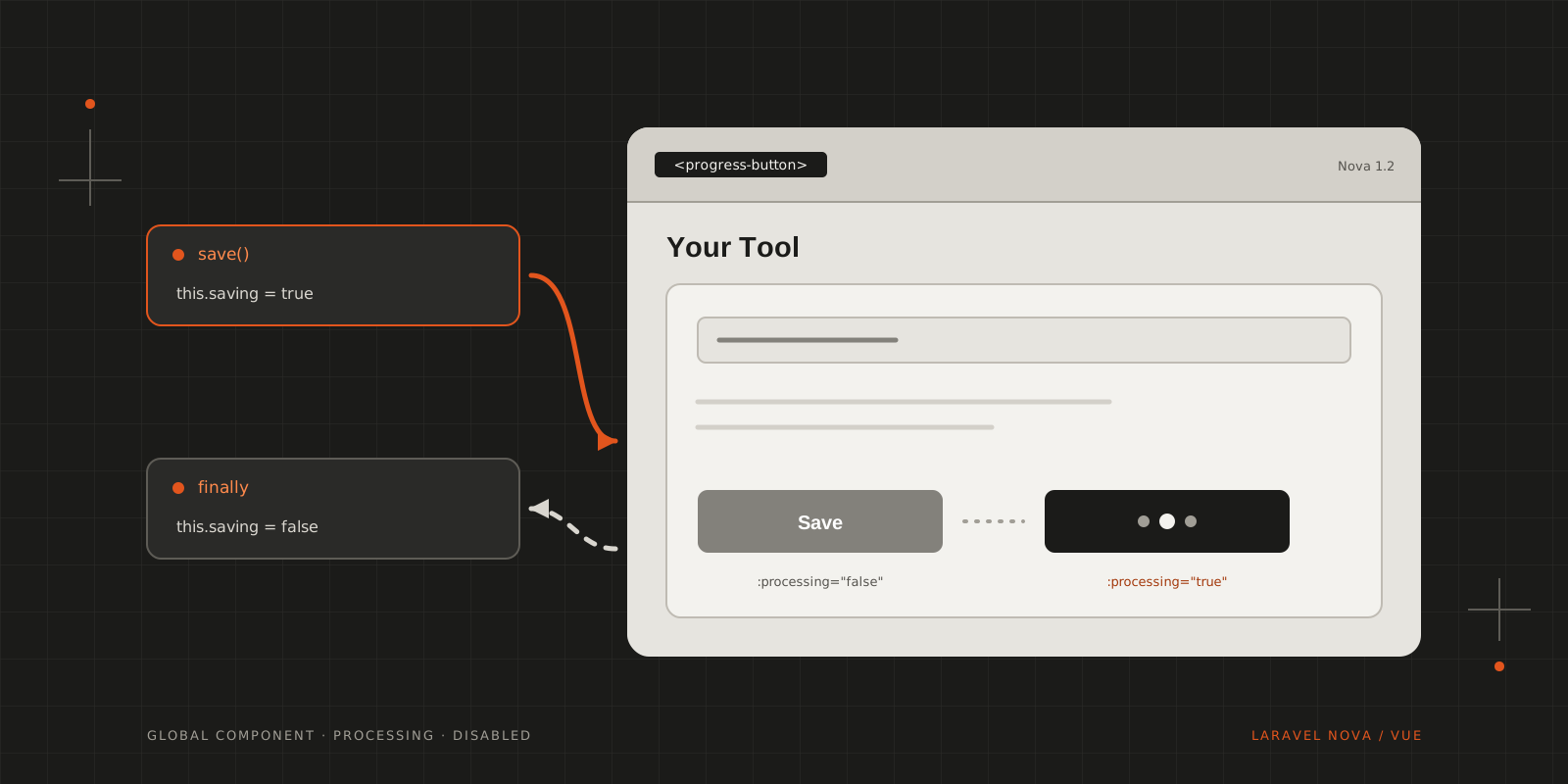
The component looks after two things: processing swaps the label for the loader, and disabled stops a second click while the request is still running. Following Nova’s own Create view, put it in a form as a submit button and keep the request state in your component:
1<template>2 <card class="p-6">3 <form @submit.prevent="save">4 <input v-model="name" class="w-full form-control form-input form-input-bordered mb-6">56 <progress-button type="submit" :processing="saving" :disabled="saving">7 Save8 </progress-button>9 </form>10 </card>11</template>1213<script>14export default {15 data: () => ({16 name: '',17 saving: false18 }),1920 methods: {21 async save () {22 this.saving = true2324 try {25 await Nova.request().post('/nova-vendor/your-tool/save', { name: this.name })26 this.$toasted.show('Saved!', { type: 'success' })27 } finally {28 this.saving = false29 }30 }31 }32}33</script>Resetting saving in finally matters: if the request fails, the button comes back instead of spinning forever.
Since the component isn’t documented, its props can change in any release. Check ProgressButton.vue after updating Nova, before you rely on it in a tool someone else installs.
Wrapping up
I certainly hope that with time, more and more of what Nova offers on the front-end side will be just as well documented as what’s on the back-end!
CITE THIS POST
Referencing this in a paper or thesis? Here’s a BibTeX entry.
1@misc{galicz2018new,2 author = {Galicz, Mikl{\'o}s},3 title = {{New plaything in Laravel Nova 1.2}},4 year = {2018},5 month = dec,6 howpublished = {\url{https://blackfyre.ninja/blog/new-plaything-in-laravel-nova-1-2/}},7 url = {https://blackfyre.ninja/blog/new-plaything-in-laravel-nova-1-2/},8 urldate = {2026-10-28},9 note = {Blog post, blackfyre.ninja}10}