CONTENTS03 +
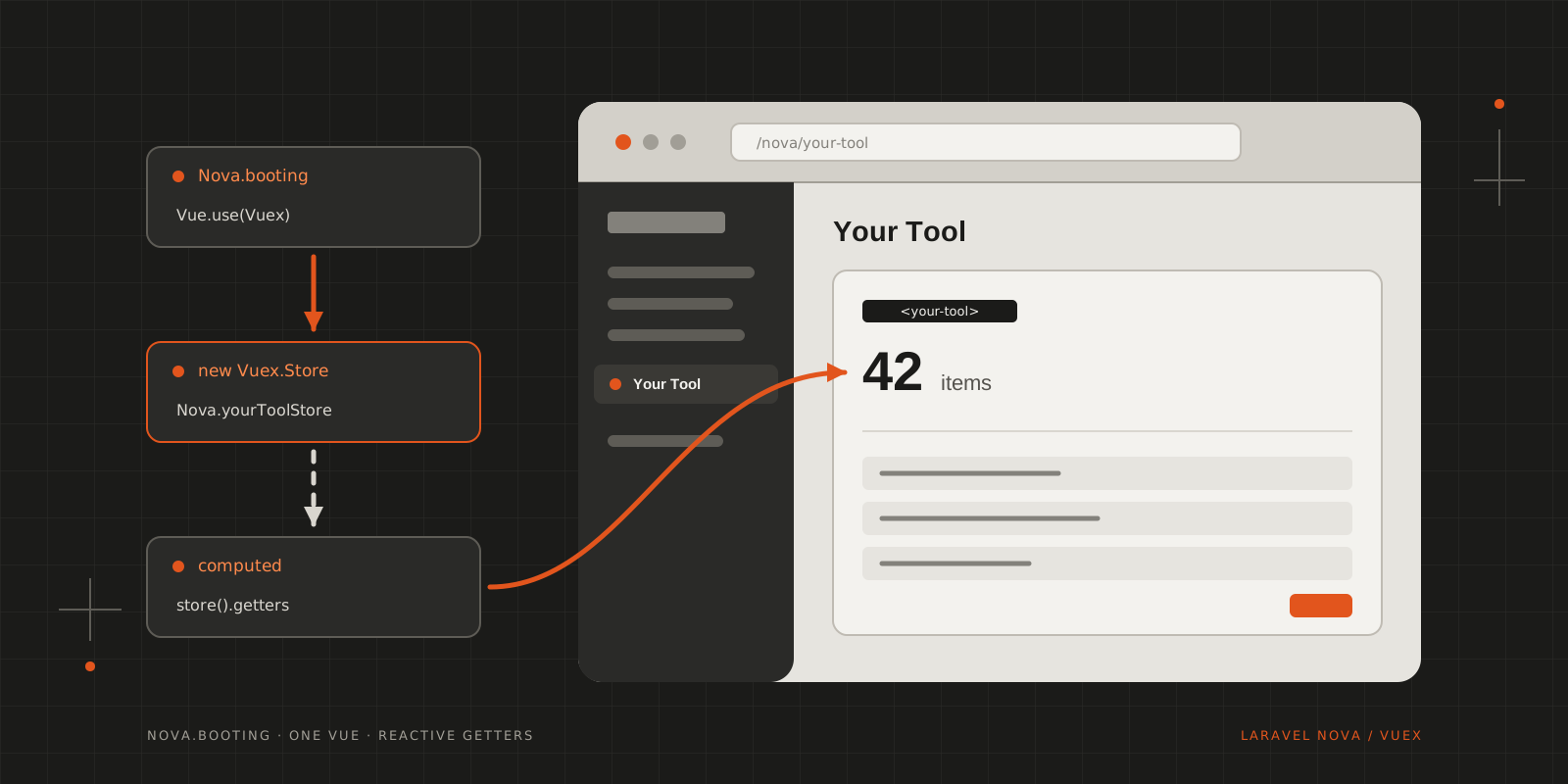
Nova owns the root Vue instance, so a tool can't hand it a store. Create one in Nova.booting, keep it on the Nova object and read it from your components.
Since Laravel Nova is the fresh kid on the block, the community is still working out how best to solve things and settle on best practices. One of the first questions I ran into: how do you give a custom tool its own Vuex store?
The usual answer, passing store to new Vue(), doesn’t work here. Nova creates the root Vue instance itself, and your tool only gets a say during Nova.booting. So this.$store in your components is not yours to set.
Until a better solution comes around, extending the global Nova object is our best bet to use both Nova and Vuex in one tool:
1import Vuex from 'vuex';2import state from './store/state.js';3import actions from './store/actions.js';4import getters from './store/getters.js';5import mutations from './store/mutations.js';67Nova.booting((Vue, router) => {8 Vue.use(Vuex);910 Vue.component('your-tool', require('./components/Tool'));1112 Nova.yourToolStore = new Vuex.Store({13 state,14 actions,15 getters,16 mutations17 });18});Install Vuex on the Vue that booting hands you, not on one you import yourself. Importing vue in the tool can bundle a second copy of Vue next to Nova’s. Vuex would then build its reactive state with your copy, while Nova renders your components with its own, and computed properties stop updating when the store changes. Using the callback’s Vue keeps everything on the one instance Nova actually runs.
Also give the property a name that belongs to your tool. Nova is shared by every tool installed in the application, so a generic Nova.store is an accident waiting to happen.
The store
Nothing about the store itself is Nova-specific. Each part sits in its own file:
1export default {2 loading: false,3 items: []4};1export default {2 itemCount: state => state.items.length3};1export default {2 setLoading (state, loading) {3 state.loading = loading;4 },5 setItems (state, items) {6 state.items = items;7 }8};For actions, Nova.request() gives you the same preconfigured axios instance Nova uses, with the CSRF token and error handling already set up:
1export default {2 async fetchItems ({ commit }) {3 commit('setLoading', true);45 try {6 const { data } = await Nova.request().get('/nova-vendor/your-tool/items');7 commit('setItems', data);8 } finally {9 commit('setLoading', false);10 }11 }12};The URL is the tool’s own API route from routes/api.php, which Nova serves under /nova-vendor/your-tool.
Using it in the tool
Since this.$store isn’t available, keep a reference to the store in the component and map what you need through computed properties and methods:
1<template>2 <div>3 <heading class="mb-6">Your Tool</heading>45 <card class="p-6">6 <p v-if="loading">Loading…</p>7 <p v-else>{{ itemCount }} items</p>8 </card>9 </div>10</template>1112<script>13const store = () => Nova.yourToolStore;1415export default {16 computed: {17 loading () {18 return store().state.loading;19 },20 itemCount () {21 return store().getters.itemCount;22 }23 },2425 mounted () {26 store().dispatch('fetchItems');27 }28};29</script>Reading state and getters inside computed properties keeps them reactive, so the template updates as soon as the action commits. Committing and dispatching work exactly as they would anywhere else.
If the store grows, Vuex’s map helpers (mapState, mapGetters) expect this.$store, so they won’t help here. A small helper that builds the computed properties from a list of names does the same job and keeps the components short.
Wrapping up
It’s not the most elegant solution: the store lives on a global object, and components have to know its name. But it’s only a few lines, it works with the tool stub as generated by nova:tool, and it keeps the tool’s state in one place instead of passing it around through props and events. Once Nova offers an official way for tools to bring their own store, switching over should only touch tool.js and the computed properties.
CITE THIS POST
Referencing this in a paper or thesis? Here’s a BibTeX entry.
1@misc{galicz2018adding,2 author = {Galicz, Mikl{\'o}s},3 title = {{Adding a Vuex store to your Laravel Nova Tool}},4 year = {2018},5 month = nov,6 howpublished = {\url{https://blackfyre.ninja/blog/adding-a-vuex-store-to-your-laravel-nova-tool/}},7 url = {https://blackfyre.ninja/blog/adding-a-vuex-store-to-your-laravel-nova-tool/},8 urldate = {2026-10-28},9 note = {Blog post, blackfyre.ninja}10}