CONTENTS06 +
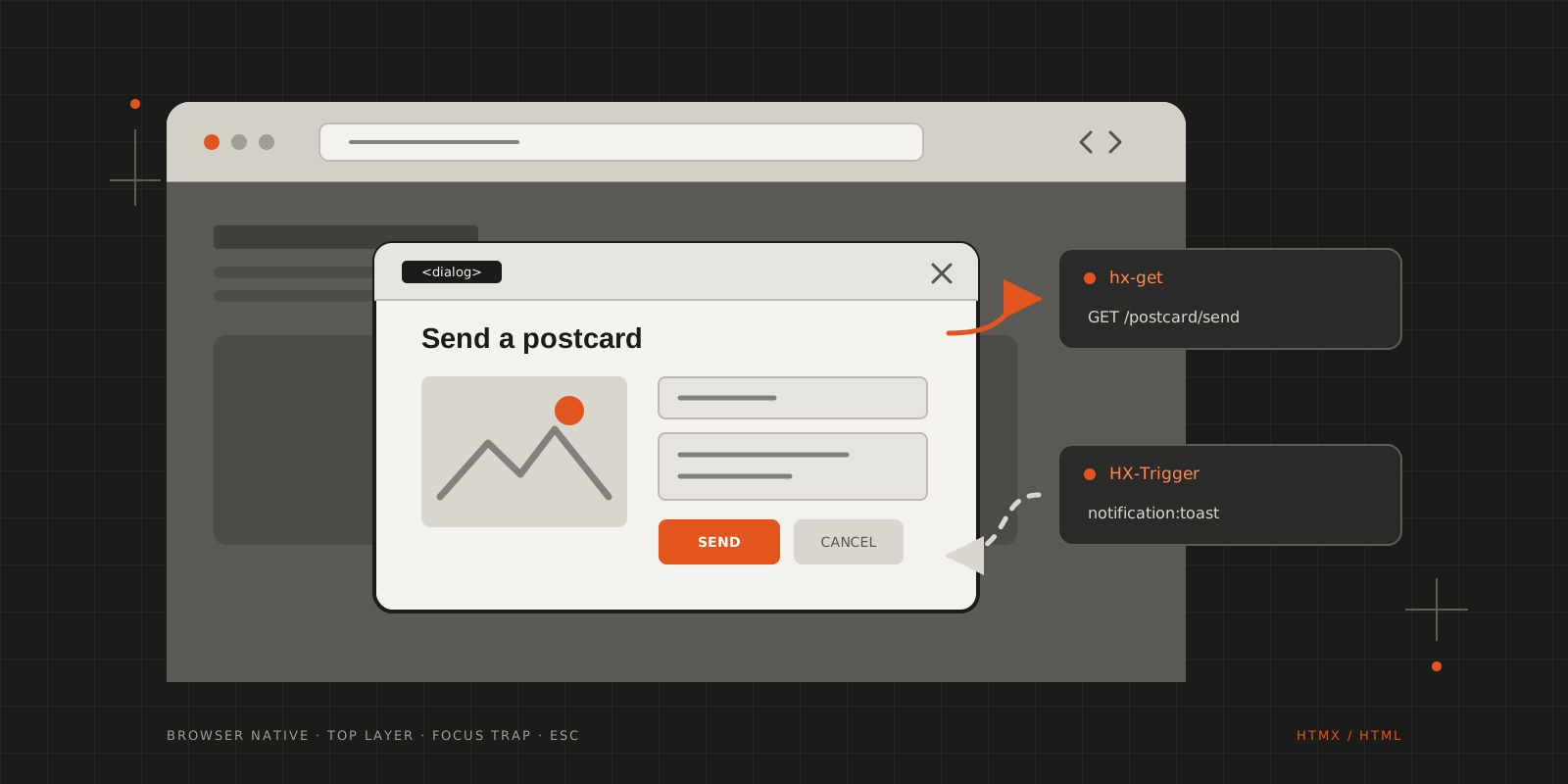
An empty <dialog>, a fragment from the server and an HX-Trigger header: modal windows with htmx and no modal library.
Recently I’ve found out about htmx and immediately fell in love with the concept of ditching frontend frameworks for ~90% of the use cases I deal with on the regular. Alas, there are things we still need additional help with, but thankfully htmx is very helpful in that regard as it’s extensible and works well with other scripts and even with frameworks.
My other fixation is using browser native features as much as possible (they are there for a reason…). While this is not something shared by UI designers, it’s more often easier to have the design adjusted than finding a library that supports both the design and business requirements when there’s a crunch.
And after this long preamble, the star of the show: the browser native dialog, which can easily be the best solution for modal windows so far!
The examples come from the Web Gallery of Art rebuild I’ve just started, where visitors can send a painting to someone as a postcard.
The dialog
1<html>2 <body>3 <a href="#" hx-on="click: document.getElementById('d').showModal();"4 hx-get="/postcard/send?awid={{.Id}}" hx-target="#d" class="card-footer-item">Send5 Postcard</a>6 <dialog id="d"></dialog>7 </body>8</html>To get started, you only need to add a <dialog> element with an ID attribute, as seen in the above code snippet. It sits empty in the layout, once, and every modal on the site reuses it.
The link does two things on the same click: htmx fetches the postcard editor and swaps it into #d, and the hx-on handler calls showModal(). That one call gives you a lot for free. The dialog is rendered in the top layer, above everything else, so there are no z-index wars. The rest of the page becomes inert, which keeps clicks and tabbing inside the modal, Esc closes it, and the ::backdrop pseudo-element is there to style.
The content
The server answers with a fragment, which htmx drops into the dialog:
1<section class="postcard-editor">2 <span class="icon is-clickable close-dialog is-large" hx-on="click: wga.closeDialog();">3 <i class="fas fa-times fa-2x"></i>4 </span>5 <h1 class="title">Write a postcard</h1>6 <div class="columns">7 <div class="column is-half">8 <!-- the painting -->9 </div>10 <div class="column">11 <form hx-post="/postcards" hx-target="#d">12 <input type="hidden" name="image_id" value="{{.ImageId}}">13 <div class="field">14 <label class="label">Name</label>15 <div class="control">16 <input class="input" type="text" name="sender_name" required autocomplete="name">17 </div>18 </div>19 <div class="field">20 <label class="label">Message</label>21 <div class="control">22 <trix-editor input="message"></trix-editor>23 <input type="hidden" id="message" name="message">24 </div>25 </div>26 <div class="field is-grouped">27 <p class="control">28 <button class="button is-link" type="submit">Send postcard</button>29 </p>30 <p class="control">31 <button type="button" class="button" hx-on="click: wga.closeDialog();">Cancel</button>32 </p>33 </div>34 </form>35 </div>36 </div>37</section>Both the ✕ in the corner and the Cancel button close the dialog. Inline document.getElementById('d').close() calls get old quickly, so they live in a tiny helper instead:
1const wga = {2 els: {},3};45wga.els.dialog = document.getElementById("d");67window.wga = {8 openDialog () {9 wga.els.dialog.showModal();10 },11 closeDialog () {12 wga.els.dialog.close();13 }14};The message field is a Trix editor. It’s a custom element, so it initialises itself when htmx swaps it in, without any extra wiring.
The endpoint
On the Go side (PocketBase, so Echo underneath) the editor is a plain handler that renders a template block rather than a full page:
1e.Router.GET("postcard/send", func(c echo.Context) error {2 if !isHtmxRequest(c) {3 return apis.NewBadRequestError("Unexpected request", nil)4 }56 awid := c.QueryParam("awid")7 if awid == "" {8 return apis.NewBadRequestError("awid is empty", nil)9 }1011 html, err := renderPostcardEditor(awid, app, c)12 if err != nil {13 return err14 }1516 return c.HTML(http.StatusOK, html)17})1func isHtmxRequest(c echo.Context) bool {2 return c.Request().Header.Get("HX-Request") == "true"3}The fragment only makes sense inside the dialog, so anything that isn’t an htmx request is turned away.
Letting the server close it
Submitting the form is a regular hx-post. If storing the postcard fails, the server renders the editor again and it lands back in the dialog. If it works, there’s nothing left to show, and the dialog should simply go away.
The server can’t call close(), but it can send an HX-Trigger header, which htmx turns into an event on the page:
1func sendToastMessage(message string, t string, closeDialog bool, c echo.Context) {2 payload := struct {3 Message string `json:"message"`4 Type string `json:"type"`5 CloseDialog bool `json:"closeDialog"`6 }{7 Message: message,8 Type: t,9 CloseDialog: closeDialog,10 }1112 setHxTrigger(c, map[string]any{13 "notification:toast": payload,14 })15}1sendToastMessage("Thank you! Your postcard has been queued for sending!", "is-success", true, c)23return nilOn the page, one listener shows the toast and closes the dialog when asked to:
1document.body.addEventListener("notification:toast", function (evt) {2 if (evt.detail.closeDialog) {3 wga.els.dialog.close();4 }56 bulmaToast.toast({7 message: evt.detail.message,8 type: evt.detail.type,9 })10})The server decides whether the dialog stays open, and the same mechanism works for any form that ends up in #d.
1sequenceDiagram2 participant P as Page3 participant D as dialog #35;d4 participant S as Server5 P->>D: click: showModal()6 P->>S: hx-get /postcard/send?awid=…7 S-->>D: editor fragment, swapped into #35;d8 D->>S: hx-post /postcards9 alt storing fails10 S-->>D: the editor again11 else stored12 S-->>P: HX-Trigger: notification:toast, closeDialog: true13 P->>D: close(), then the toast14 endMaking it look like a modal
The default dialog looks rather plain, but it’s a regular element and takes CSS like anything else. To animate both opening and closing, the dialog stays display: block and is hidden with opacity instead:
1dialog {2 display: block;3 animation: scale-down 0.5s cubic-bezier(0.5, -0.5, 0.1, 1.5) forwards;4 border-radius: calc(1rem / 3);5 padding: 1.5rem;6 box-shadow: 0 0 2rem 0 rgba(0, 0, 0, 0.5);78 &[open] {9 animation: slide-in-up 0.5s cubic-bezier(0.25, 0, 0.3, 1) forwards;10 }1112 &:not([open]) {13 pointer-events: none;14 opacity: 0;15 }1617 &::backdrop {18 backdrop-filter: blur(0.25rem);19 }2021 .close-dialog {22 position: absolute;23 right: 1rem;24 }25}2627@keyframes slide-in-up {28 0% { transform: translateY(100%); }29}3031@keyframes scale-down {32 to { transform: scale(0.75); }33}One thing to keep in mind with this trick: a closed dialog that is still display: block keeps its content in the accessibility tree, so screen readers can still reach the last form until something replaces it.
Wrapping up
That’s the whole modal: one empty <dialog> in the layout, a server that returns fragments, and a few lines of JavaScript to open, close and listen for HX-Trigger. No modal library, and the browser takes care of the backdrop, the focus trap and Esc.
There are a couple of rough edges I still want to sort out. The dialog opens on click, before the content arrives, so there’s a moment of an empty box. Closing doesn’t clear the old content, and the dialog has no accessible name yet. But for something that’s barely a week old, it already does the job.
CITE THIS POST
Referencing this in a paper or thesis? Here’s a BibTeX entry.
1@misc{galicz2023using,2 author = {Galicz, Mikl{\'o}s},3 title = {{Using the native dialog with HTMX}},4 year = {2023},5 month = oct,6 howpublished = {\url{https://blackfyre.ninja/blog/using-the-native-dialog-with-htmx/}},7 url = {https://blackfyre.ninja/blog/using-the-native-dialog-with-htmx/},8 urldate = {2026-10-28},9 note = {Blog post, blackfyre.ninja}10}