CONTENTS05 +
Notes from refactoring a 43-table database: describing it in DBML, then diagramming, documenting and turning it into SQL from one file.
Recently I was tasked with a relatively big database refactor: 43 tables and counting, with a lot of interconnections between them, and, as usual, everyone wanted to add their two cents. Designers have had a place for that for years: everyone opens the same Figma file and argues over the same picture. For the database we had nothing of the sort, so off I went to find one.
What we had to work with
The company didn’t have any tools or best practices for this occasion. For my own Laravel projects I usually rely on Vemto, which lets you draw the models and generates the migrations, or Laravel Blueprint, which does the same from a YAML file. Neither was an option here: the company doesn’t have any PHP-based apps, nor do they want any. Their stack is single-page apps hosted on Firebase, with a PostgreSQL database and a GraphQL layer somewhere in the cloud… so whatever I picked had to work with plain PostgreSQL and nothing else.
DBML
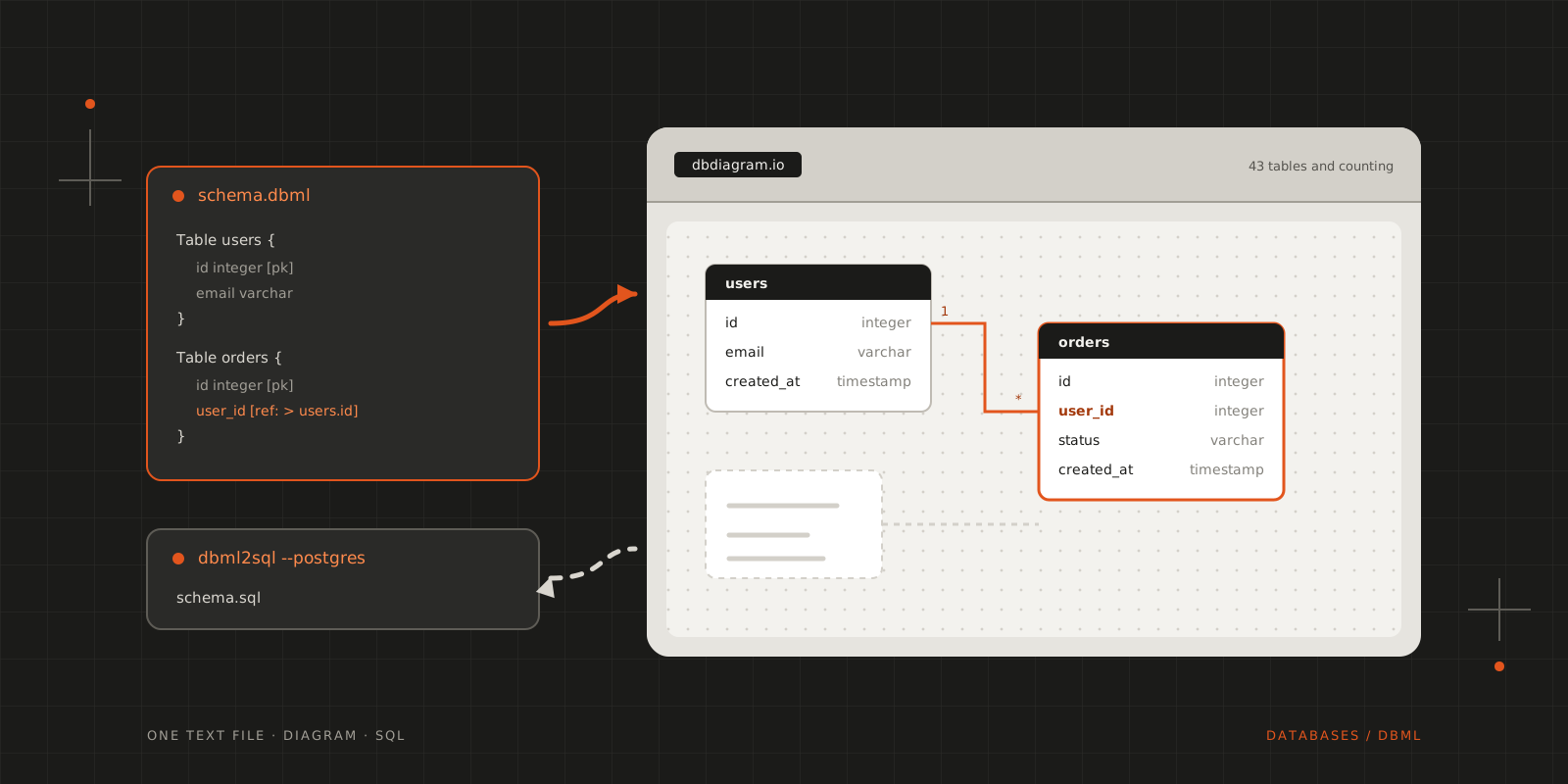
The tool I’ve found is DBML, short for Database Markup Language: a really simple and universal way of describing relational databases in plain text. It describes tables, columns, keys and the relationships between them, and nothing else, so it doesn’t matter what sits on top of the database. To give an idea of how little it takes, here are two tables and the relationship between them:
1Table users {2 id integer [pk, increment]3 email varchar [unique, not null]4 created_at timestamp [default: `now()`]5}67Table orders {8 id integer [pk, increment]9 user_id integer [not null, ref: > users.id]10 status varchar [note: 'pending, paid or shipped']11 created_at timestamp12}ref: > users.id is the foreign key: many orders point to one user.
The tools around it
The company who developed the language also offers quite a number of things around it, and they all take the same file:
- dbdiagram.io draws the diagram.
- dbdocs.io turns it into browsable documentation.
@dbml/cliconverts it into SQL statements, for both MySQL and PostgreSQL:
$npx -p @dbml/cli dbml2sql schema.dbml --postgres -o schema.sqlMost of these services are available for free, which is also a testament to their open-source commitment!
1flowchart LR2 S[schema.dbml] --> D[dbdiagram.io<br/>diagram]3 S --> O[dbdocs.io<br/>documentation]4 S --> C["@dbml/cli<br/>SQL for MySQL and PostgreSQL"]Where the two cents went
That’s what made it work for a refactor everyone had an opinion on. The schema is a text file, so a change is proposed, reviewed and diffed like any other code, and whoever wanted their say had a place to leave it. The diagram is drawn from that same file, so the picture everyone argued over was never out of date.
Wrapping up
In short, it’s Figma, but for databases! It really propelled the planned database structure, and we had a blast using it!
CITE THIS POST
Referencing this in a paper or thesis? Here’s a BibTeX entry.
1@misc{galicz2022figma,2 author = {Galicz, Mikl{\'o}s},3 title = {{Figma for Databases}},4 year = {2022},5 month = jun,6 howpublished = {\url{https://blackfyre.ninja/blog/figma-for-databases/}},7 url = {https://blackfyre.ninja/blog/figma-for-databases/},8 urldate = {2026-10-28},9 note = {Blog post, blackfyre.ninja}10}